

How to optimize the marking effect of the Online Flying UV Laser Marking Machine?
Sep 08, 2026
Hey there! As a supplier of Online Flying UV Laser Marking Machines, I've seen firsthand the importance of optimizing the marking effect. In this blog, I'll share some tips and tricks to help you get the best results from your machine.
Understanding the Basics of Online Flying UV Laser Marking
Before we dive into the optimization techniques, let's quickly go over how an Online Flying UV Laser Marking Machine works. These machines use a high - energy UV laser beam to mark various materials as they move on a conveyor belt. The UV laser has a short wavelength, which allows for high - precision marking on a wide range of surfaces, including plastics, glass, and metals.
Selecting the Right Materials
The first step in optimizing the marking effect is to choose the right materials. Different materials react differently to the UV laser. For example, some plastics may absorb the UV light better than others, resulting in a clearer and more durable mark. When selecting materials, consider their composition, surface finish, and color.
If you're working with plastics, look for materials that are specifically designed for laser marking. These plastics often have additives that enhance the marking process. For metals, make sure the surface is clean and free of any contaminants. A dirty surface can cause the laser to scatter, resulting in a poor - quality mark.
Adjusting Laser Parameters
One of the most crucial aspects of optimizing the marking effect is adjusting the laser parameters. The main parameters you need to consider are power, frequency, and speed.

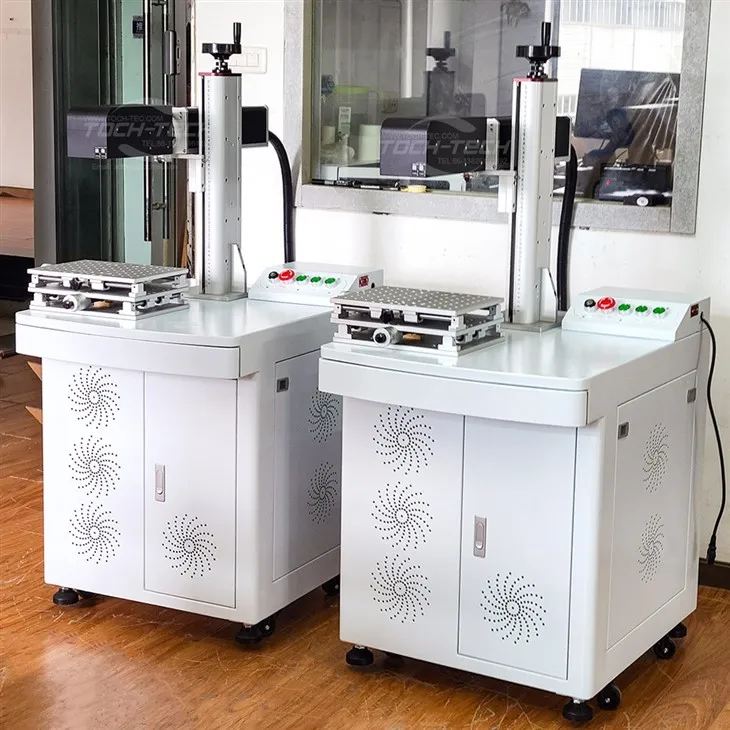
- Power: The power of the laser determines how deep the mark will be. If the power is too low, the mark may be faint or incomplete. On the other hand, if the power is too high, it can cause damage to the material. You'll need to find the right balance based on the material you're working with. For example, when marking thin plastics, you may need a lower power setting to avoid burning through the material.
- Frequency: The frequency of the laser affects the quality and appearance of the mark. A higher frequency can result in a smoother and more detailed mark. However, if the frequency is too high, it can also cause over - heating of the material. Experiment with different frequency settings to find the optimal one for your application.
- Speed: The speed at which the material moves under the laser also plays a significant role. If the speed is too fast, the mark may be incomplete or faint. If the speed is too slow, it can lead to over - marking and damage to the material. Adjust the speed according to the power and frequency settings to achieve the best results.
Maintaining the Machine
Regular maintenance of your Online Flying UV Laser Marking Machine is essential for optimal performance. Here are some maintenance tips:
- Clean the optics: The laser optics can accumulate dust and debris over time, which can affect the quality of the mark. Use a clean, lint - free cloth and a suitable cleaning solution to clean the lenses and mirrors.
- Check the cooling system: The laser generates a lot of heat, and the cooling system is crucial for keeping the machine running smoothly. Make sure the coolant level is sufficient and that the cooling system is functioning properly.
- Inspect the conveyor belt: The conveyor belt is responsible for moving the materials under the laser. Check for any signs of wear and tear, and make sure it is properly aligned.
Using Software for Optimization
Most Online Flying UV Laser Marking Machines come with software that allows you to control and optimize the marking process. The software can help you adjust the laser parameters, create and edit marking designs, and manage the production process.
- Design optimization: Use the software to create high - quality marking designs. You can adjust the size, shape, and orientation of the design to fit your materials. The software also allows you to add text, logos, and other graphics to the mark.
- Batch processing: If you need to mark multiple items, the software can help you set up batch processing. This allows you to mark a large number of items quickly and efficiently.
Comparing with Other Laser Marking Machines
While Online Flying UV Laser Marking Machines are great for many applications, it's also worth considering other types of laser marking machines. For example, the 3D Fiber Laser Engraver is ideal for creating three - dimensional marks on various materials. It offers high precision and can handle complex designs.
The Dynamic Focus 3D Fiber Laser Engraving Machine is another option. It uses a dynamic focusing system to adjust the focal length in real - time, allowing for more accurate and detailed marking on uneven surfaces.
If you need a more portable solution, the Portable Laser Marking Machine is a great choice. It's lightweight and easy to move around, making it suitable for on - site marking applications.
Conclusion
Optimizing the marking effect of an Online Flying UV Laser Marking Machine requires a combination of proper material selection, parameter adjustment, machine maintenance, and software utilization. By following these tips, you can achieve high - quality, durable marks on a variety of materials.
If you're interested in learning more about our Online Flying UV Laser Marking Machines or any of our other products, don't hesitate to reach out. We're here to help you find the best solution for your marking needs. Whether you're a small business looking to add a professional touch to your products or a large manufacturer in need of high - volume marking, we've got you covered. Contact us today to start a conversation about your requirements and how we can assist you.
References
- Laser Marking Technology Handbook
- Industry reports on laser marking machines