

What are the common problems of a Flying Online Laser Marking Machine and how to solve them?
Jun 03, 2026
Hey there! As a supplier of Flying Online Laser Marking Machines, I've seen my fair share of issues that customers run into. In this blog, I'm gonna talk about the common problems of these machines and how to solve them.
1. Poor Marking Quality
One of the most frequent problems is poor marking quality. This can manifest in various ways, like uneven marking, blurred lines, or inconsistent depth.
Possible Causes
- Laser Power: If the laser power is too low, the marking won't be clear. On the other hand, if it's too high, it can cause over - burning and damage the material.
- Focus: Incorrect focus is a major culprit. If the laser beam is not properly focused on the material surface, the marking will look bad.
- Speed: The marking speed can also affect the quality. If the machine is moving too fast, the laser might not have enough time to etch the material properly.
Solutions
- Adjust Laser Power: Check the laser power settings in the control panel. You may need to increase or decrease the power depending on the material you're marking. For example, softer materials like plastics usually require less power compared to metals.
- Check and Adjust Focus: Use the focus adjustment mechanism on the machine. You can do a test marking on a scrap piece of the same material to find the optimal focus point.
- Optimize Marking Speed: Experiment with different speeds to find the one that gives the best results. You can start with a medium speed and then adjust based on the quality of the marking.
2. Laser Beam Instability
Sometimes, the laser beam can become unstable, which leads to inconsistent marking.
Possible Causes
- Cooling System: The cooling system is crucial for the stable operation of the laser. If it's not working properly, the laser can overheat, causing the beam to become unstable.
- Power Supply: A fluctuating power supply can also affect the laser beam. Voltage drops or surges can disrupt the laser's operation.
- Optical Components: Dirty or misaligned optical components, such as mirrors and lenses, can cause the laser beam to scatter or deviate from its path.
Solutions
- Maintain the Cooling System: Regularly check the coolant level and ensure that the cooling system is working efficiently. Clean the cooling pipes and radiators to prevent blockages.
- Stabilize the Power Supply: Use a voltage stabilizer to ensure a consistent power supply to the machine. This can help prevent power - related issues.
- Clean and Align Optical Components: Gently clean the mirrors and lenses using a soft, lint - free cloth and a suitable cleaning solution. If necessary, realign the optical components according to the machine's manual.
3. Software and Control Issues
Problems with the software and control system can also cause headaches for users.
Possible Causes
- Software Compatibility: The software may not be compatible with the operating system or other hardware components of the computer.
- Firmware Updates: Outdated firmware can lead to various glitches and malfunctions.
- User Error: Incorrect settings in the software can result in incorrect marking or even cause the machine to stop working.
Solutions
- Check Software Compatibility: Make sure that the software is compatible with your computer's operating system. If not, you may need to upgrade or change the software.
- Update Firmware: Regularly check for firmware updates on the manufacturer's website and install them as soon as they're available.
- Review and Correct Settings: Double - check all the settings in the software, including marking parameters, coordinate systems, and file formats. If you're not sure about a setting, refer to the user manual or contact technical support.
4. Mechanical Issues
Mechanical problems can also occur in Flying Online Laser Marking Machines.
Possible Causes
- Motor Wear and Tear: The motors that control the movement of the marking head can wear out over time, leading to inaccurate positioning.
- Belt or Chain Slack: Loose belts or chains can cause the marking head to move unevenly or not at all.
- Guide Rail Damage: Damaged guide rails can prevent the marking head from moving smoothly, resulting in poor marking quality.
Solutions
- Replace Worn - out Motors: If a motor is showing signs of wear, it's best to replace it as soon as possible. This can help maintain the accuracy of the machine.
- Tighten Belts and Chains: Regularly check the tension of the belts and chains and adjust them as needed.
- Repair or Replace Guide Rails: If the guide rails are damaged, they should be repaired or replaced to ensure smooth movement of the marking head.
5. Material - Related Problems
The type of material being marked can also cause problems.
Possible Causes
- Material Sensitivity: Some materials are more sensitive to laser marking than others. For example, certain plastics can melt or discolor easily under the laser beam.
- Surface Contamination: If the material surface is dirty or contaminated, it can affect the quality of the marking.
- Material Thickness: The thickness of the material can also impact the marking process. Thicker materials may require more laser power and a slower marking speed.
Solutions
- Select the Right Settings for the Material: Research the optimal laser power, speed, and frequency for the specific material you're marking. You may need to do some test markings to find the best settings.
- Clean the Material Surface: Before marking, make sure the material surface is clean and free of dirt, oil, or other contaminants. You can use a suitable cleaning agent to clean the surface.
- Adjust for Material Thickness: If you're marking a thick material, increase the laser power and reduce the marking speed to ensure a clear and deep mark.
Our Product Recommendations
If you're in the market for a high - quality laser marking machine, we have some great options for you. Check out our 3D Fiber Laser Engraver, which offers precise 3D marking capabilities. For a more enclosed and automated solution, our Enclosed Laser Marking Machine with Turn Table is a great choice. And if you're looking for a compact and affordable option, our 50W Mini Laser Engraving And Cutting Machine is perfect.
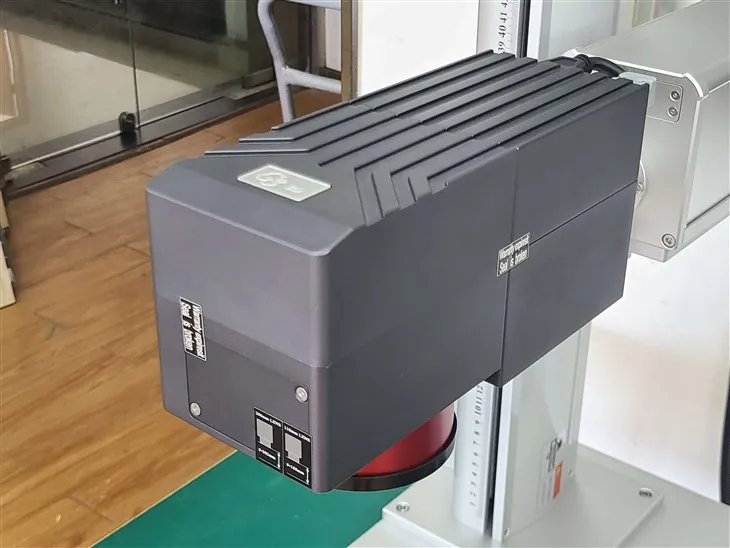

If you're interested in any of our products or have more questions about Flying Online Laser Marking Machines, don't hesitate to reach out. We're here to help you find the best solution for your marking needs.
References
- Manufacturer's user manuals for Flying Online Laser Marking Machines
- Industry - specific technical articles on laser marking technology